EATtedit - the
command prompting you to select a block with attributes. The Enhanced
ATtribute Editor is displayed... This editor is
really powerful tool, but not practical
and slow.
In the most cases you
need to edit the text of attributes,
not color or width factor
available in enhanced editor. Also it is better to have an ability to edit
attributes in multiple mode - repeat the command until you press ESC. Old
edit attributes command
ATTEDIT (or
DDATTE)
combined with MULTIPLE
command can help you to work faster.
Download file:
http://www.nyacad.com/Download/MultipleEditAttributes.zip
unzip it and read HELP file.
After installation and setup procedures enter
NN in the command prompt to start
multiple edit attributes command. Press Escape to finish the command. Watch
video below:

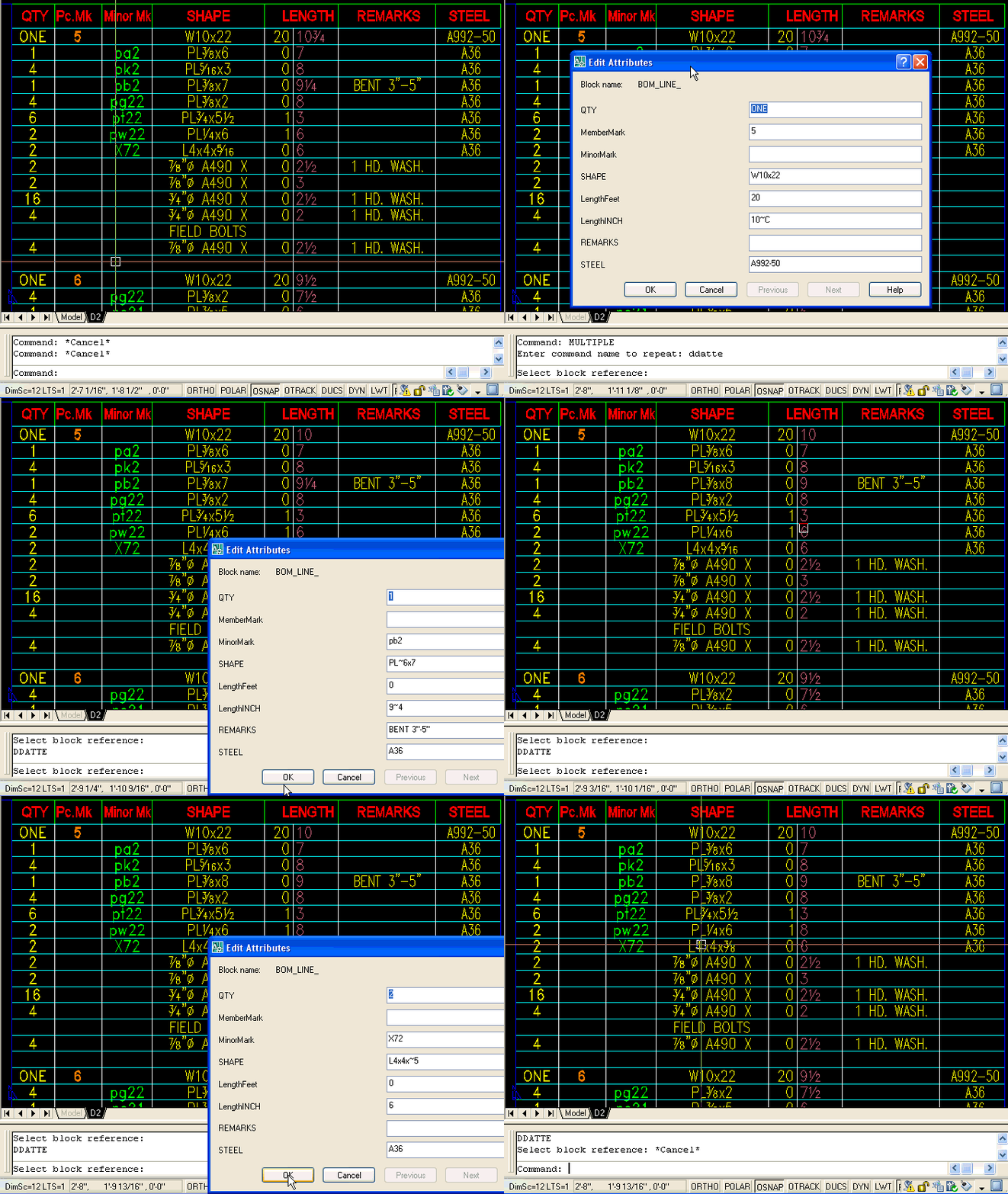
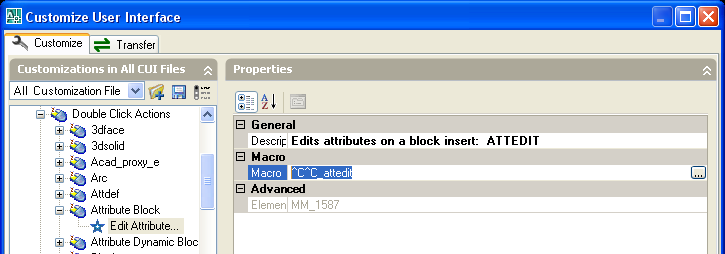
You also can redefine double click action: replace
EATTEDIT with ATTEDIT as shown on picture below:
Alex Borodulin
02/13/08
NYacad, Inc.
NYacad@gmail.com
|